- 43 Ngo Tu Ha, Hoa An Ward, Cam Le District, Da Nang City
- Email: linhtp@lagitech.com.vn
- Hotline: 0966 780 888 - 0913 71 0708




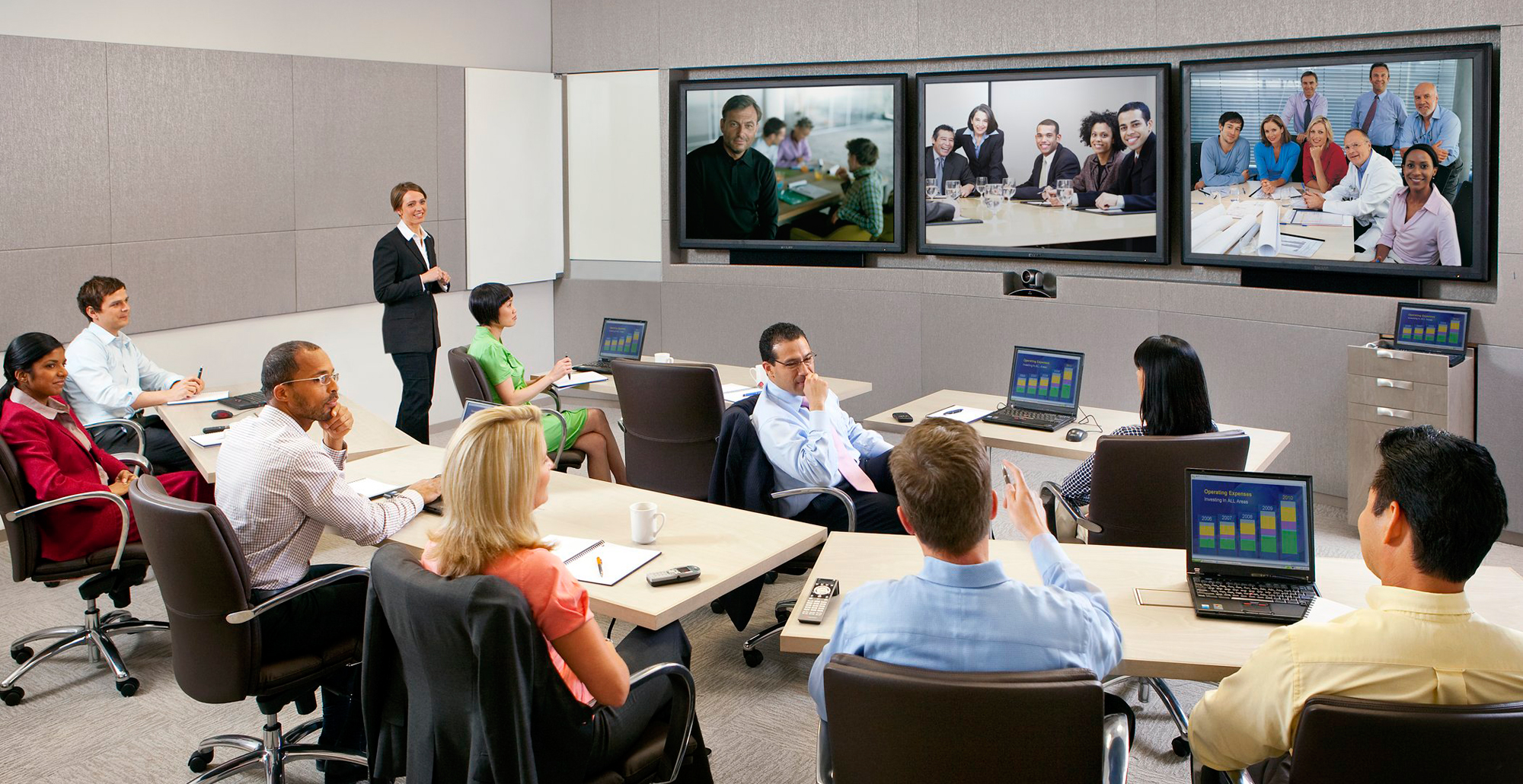
Video Conferencing System – Professional Online Meeting Solution for Businesses
Giá sản phẩm: Liên hệ
The Video Conferencing system is a modern communication solution that enables businesses to connect and collaborate remotely in a fast, efficient, and professional manner. By transmitting high-quality audio and video in real time, the system allows multiple participants from different locations to join meetings as if they were in the same room. With its ability to reduce travel costs, save time, ensure data security, and enhance overall productivity, Video Conferencing has become an essential tool for businesses undergoing digital transformation.
Chi tiết sản phẩm
VIDEO CONFERENCING SYSTEM
Professional Online Meeting Solution for Modern Businesses
1. Overview of Video Conferencing System
A Video Conferencing system is an advanced communication solution that enables real-time transmission of audio and video between two or more locations via Internet, WAN, or LAN networks.
By integrating both hardware and software components, this system allows participants in different locations to interact as if they were in the same meeting room. It is an essential tool that helps businesses improve communication efficiency, streamline operations, and accelerate decision-making.
2. Applications of Video Conferencing
Video conferencing solutions are widely used across various industries and purposes, including:
- Corporate meetings and internal briefings between remote offices
- Collaboration among distributed teams and project groups
- Online training and E-learning programs
- Telemedicine and remote healthcare consultations
- Communication and coordination within multinational enterprises
In the era of digital transformation, video conferencing has become a core communication solution, replacing traditional face-to-face meetings.
3. Key Benefits of Video Conferencing
Implementing a video conferencing system offers numerous advantages:
- Reduced travel costs and operational expenses
- Time-saving with instant meeting setup
- Multi-point connectivity across different locations
- High-quality audio and video performance
- Enhanced data security and privacy
- Meeting recording and storage capabilities
- Faster decision-making and improved productivity
4. Technology and Standards
Video conferencing systems utilize IP-based technology combined with advanced audio and video compression (codec) for real-time communication while optimizing bandwidth usage.
Supported protocols include:
- H.320
- H.323
- SIP
- SCCP
These technologies enable seamless integration with existing network infrastructure and allow flexible system expansion.
5. System Components
5.1 Personal Meeting Setup
Designed for individual users or small teams, this setup typically includes:
- PC or laptop with conferencing software
- Webcam, microphone, and speakers/headset
- Optional dedicated devices with built-in camera and microphone
This solution supports both point-to-point and small multi-point meetings with cost efficiency.
5.2 Conference Room Setup
For professional meeting rooms, the system includes:
- Conference camera – captures video
- Microphone system – captures audio clearly
- Codec – encodes and transmits audio/video signals
- Display screen – shows participants and shared content
- Speakers – output meeting audio
- Content sharing device – connects to a computer for presentations
The system can be customized based on room size and number of participants to ensure optimal performance.
5.3 Extended Components
For advanced functionality, additional components may include:
- MCU (Multipoint Control Unit) – enables multi-site conferencing and centralized control
- Recording and storage systems – archive meeting content
- Management software – scheduling, monitoring, and controlling meetings
6. Deployment Models
- Point-to-Point: Direct connection between two locations
- Multipoint: Multiple locations connected via MCU
Businesses can choose the appropriate model based on their operational needs and scale.
7. Network and Bandwidth Requirements
To ensure stable and high-quality conferencing, the system requires:
- Symmetrical bandwidth (equal upload and download speeds)
- Minimum 1.25 Mbps per endpoint for HD quality
- Total bandwidth calculated as: number of endpoints × bandwidth per endpoint
- Preferred use of leased line or WAN connections
- Network configuration allowing required ports for video/audio transmission
A reliable network infrastructure is critical for maintaining seamless communication.
8. Why Businesses Should Adopt Video Conferencing
In today’s digital era, Video Conferencing is more than just a communication tool—it is a strategic solution that helps businesses:
- Enhance global connectivity
- Improve operational efficiency
- Optimize costs
- Accelerate digital transformation